Pages

Showing posts with label adobe photoshop. Show all posts

Monday, August 2, 2010

Logo Design

Logo Design

Logo designing is harder than I thought, people are picky and care about a good clear quality. So applied for a job doing a logo and got denied instantly without any reason as to why.

Maybe I am trying way too hard to do designing, knowing I have a passion for it. Perhaps schooling would help me more than doing it on my own and web researching everything.

Having good sites for learning how to do logos, headers and templates I think is a good starter and I have found a few that have been rather helpful, and has taught me more than what was known before.

Just being frustrated is not helping my dilemma here, and so I'm sitting back to relax and clear my mind for the time being. Knowing I need to read more things and start asking people what they use for design software and how they do their designs. Maybe ask where they get their images as well besides Google.

A lot of stuff that is out there from Google is copyrighted and well I don't feel like being sued, someday I hope to have enough cash to actually buy CS4 or the new one CS5 with all the plug ins and filters to help me make some wonderful creations.

Friday, July 30, 2010

Simple forums avatar tutorial


Simple Forums Avatar Tutorial

Forum or Board avatars are a way to express one's character. Some people enjoy having a mini avatar for the forums where they chat, ask for help and support, or even role-play on. Below is an easy tutorial on how to make one. I hope you enjoy!


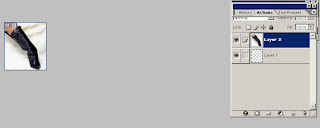
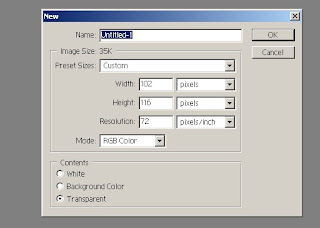
Open adobe photo shop 7, and go to file new-width 102 and height 116.

Next open up any image and then click drag onto the new image you made.

Go to edit, transform and scale, scale the image down until you got a part of the image you want to show, for example like a foot, a face or any other body part.


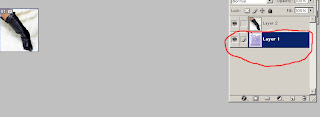
Afterwards go to file open and select a background or texture then drag that onto the background layer.


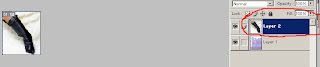
Click on the top layer which would be the image you scaled down and then erase away any background from the image, I used the eraser size 10, so that the texture you placed there will show.


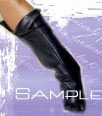
Lastly go to file save-as rename it to whatever you like and hit okay. Go to your filters and add neat effects , lastly select the text tool, hit layers- new layer and add a name. This is the finished product of a board or forums avatar.