Pages

Showing posts with label forums. Show all posts

Saturday, July 31, 2010

Digital Point-Design Contest Forum

Digital Point-Design Contest Forum
Digital Point is a forum where you can find some free lance work. In the contest section, they mostly ask for designs such as logos, headers, banners, and website designs.
People from all over the world are experienced in different things, many people do design whatever these people want, however people are picky and pick ones they really like.
I always say it can't hurt to enter into one of the contests and try to win, it is very important to follow instructions, otherwise your design will be over looked.
If your not chosen, do not give up, always try and try again until you feel that your absolutely satisfied with the design that you have done.
Over 20 contests are happening a day on this forum, so there is a chance you may win, just keep trying, and do something that you know how to do.
Adobe Photo shop is a must as those who have started the contests want a specific ending such as .psd, .png etc etc that only photo shop has. Keep up to date on your programs and spend time looking at other peoples work and get ideas, but never copy them.
Think through the design you've made, make changes you think they might want or even you may want to do. Be sure the images and text are perfect, the designs are all in the eye of the creater.

Friday, July 30, 2010

Simple forums avatar tutorial


Simple Forums Avatar Tutorial

Forum or Board avatars are a way to express one's character. Some people enjoy having a mini avatar for the forums where they chat, ask for help and support, or even role-play on. Below is an easy tutorial on how to make one. I hope you enjoy!


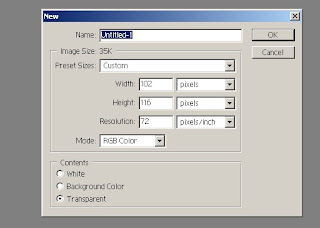
Open adobe photo shop 7, and go to file new-width 102 and height 116.

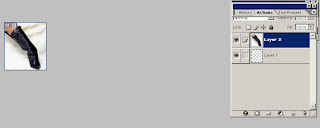
Next open up any image and then click drag onto the new image you made.

Go to edit, transform and scale, scale the image down until you got a part of the image you want to show, for example like a foot, a face or any other body part.


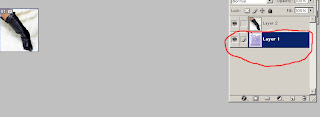
Afterwards go to file open and select a background or texture then drag that onto the background layer.


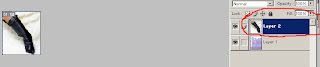
Click on the top layer which would be the image you scaled down and then erase away any background from the image, I used the eraser size 10, so that the texture you placed there will show.


Lastly go to file save-as rename it to whatever you like and hit okay. Go to your filters and add neat effects , lastly select the text tool, hit layers- new layer and add a name. This is the finished product of a board or forums avatar.

Sunday, July 18, 2010

About Me

I have been dabbling in design for quite some time now. Ever since I was able to use a computer I have been messing around with paint shop and now photo shop, I have learned to create templates for websites, business cards and banners/logos. Currently I live in South Carolina and I'm 25 years of age, I hope eventually to earn a living just by doing graphics in photo shop and that people will enjoy my designs and that I will become noticed in the world of online and people will want to use my work. So check back often as I'll be updating my blog with some examples and my work that I've done.